Interactive display projects involve more than selecting a large screen. Buyers must consider how users will interact with content, which software will run the experience, how the display connects to other devices, and how the system will be installed and maintained. Overlooking these requirements can lead to compatibility problems even when the display itself meets expectations.
A touchscreen LED display may support interactive presentations, collaborative meetings, educational demonstrations, and visitor engagement. However, the appropriate solution depends on the intended interaction and the capabilities of the complete system. This guide provides a practical checklist for evaluating options and preparing a more precise inquiry to KMTEK.
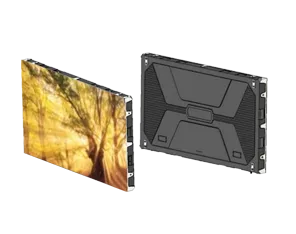
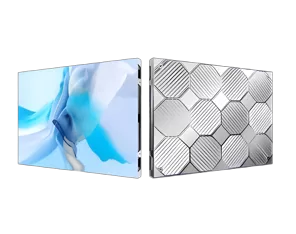
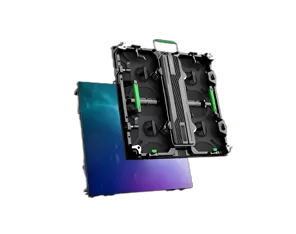
A touchscreen LED display combines a large-format LED visual surface with a touch-input solution that allows users to interact with digital content. Depending on the system design, users may be able to select items, navigate interfaces, annotate presentations, or control compatible applications directly on the screen.
It is important to distinguish the LED display from the touch technology and software that make interaction possible. A large LED screen does not automatically include touch functionality. The project may require a compatible touch frame or other sensing technology, a control computer, software, and appropriate connections.
Before choosing equipment, define the interaction you want users to perform. A meeting room may need annotation and screen sharing, while an exhibition may require visitor navigation through interactive content. These use cases can place different demands on the touch system, interface, and operating environment.
KMTEK's touchscreen LED display can be considered as part of this evaluation, with the final configuration matched to the project requirements.
An effective interactive experience depends on the relationship between touch sensing, processing, and visual feedback. Users expect the system to respond predictably when they tap, select, drag, or write on the screen.
Buyers should confirm the supported touch method, the number of simultaneous touch points, touch accuracy, and compatibility with the intended operating system. The number of touch points may matter when several users need to collaborate at once. For applications involving handwriting or drawing, the response of the input system and the suitability of the software are especially important.
Display performance also matters. Brightness should suit the ambient lighting, while resolution and screen dimensions should make interface elements easy to read. A very large display may improve visibility for groups, but the interface must still be designed for the viewing distance and the physical reach of users.
Ask for a live demonstration or a representative test whenever possible. Test the actual tasks the system will perform rather than judging responsiveness from a product description alone.
Software compatibility is one of the most important checks before purchasing an interactive system. A display may offer the required physical functionality but still fail to support a customer's preferred applications or workflow.
Operating system: Confirm which operating systems and versions are supported by the touch solution.
Connection interfaces: Check the required video, data, and control connections between the display, touch system, and computer.
Collaboration tools: Verify compatibility with presentation, annotation, conferencing, or education software.
Content management: For public installations, confirm how interactive content is updated and maintained.
Network and security: Establish whether the system requires network access, user accounts, or specific IT approval.
These requirements should be documented before the equipment is ordered. If the project involves proprietary software, ask the software provider and display supplier to confirm compatibility together. Do not assume that a connector's physical availability guarantees support for every feature.
For public-facing projects, also consider whether the interface can be reset between users and whether staff can restore the system if an application stops responding.
Different environments require different interaction capabilities. The following comparison helps buyers identify the specifications that deserve attention.
Application | Typical interaction | Important selection criteria |
|---|---|---|
Corporate meeting room | Annotation, presentations, collaboration | Software compatibility, connectivity, simultaneous touch |
Education and training | Writing, diagrams, interactive learning | Touch accuracy, interface usability, application support |
Exhibition or visitor center | Navigation, information lookup, multimedia | Interface design, durability, content updates |
Retail demonstration | Product exploration and guided interaction | Responsiveness, visibility, ease of use |
An interactive LED touch screen should be evaluated as a complete system rather than as a screen alone. The touch solution, computer, software, connections, and installation all contribute to the final user experience.
A touch screen LED project should also consider the physical environment. Public installations may experience more frequent contact than staff-only systems, while education and meeting spaces may need convenient access to ports and control interfaces. These practical details can affect usability long after installation.
Before requesting a quotation, prepare the screen size, installation location, expected number of users, touch requirements, software platform, content sources, and operating schedule. If the system will be wall-mounted or integrated into custom furniture, provide drawings or approximate dimensions.
Ask the supplier to clarify which components are included: LED display, touch solution, processor, control computer, mounting hardware, software, and installation support. Confirm whether any third-party licenses or additional devices are required.
You should also request technical documentation, warranty terms, maintenance guidance, and information about remote support. If the display will be used in a public venue, ask how the system can be protected from unauthorized settings changes and how staff can recover from common operating issues.
KMTEK can evaluate a project more accurately when the request describes the required user experience, not just the desired screen size. A detailed inquiry helps establish the scope before procurement begins.
It may, provided the computer, operating system, connections, and touch solution are compatible. Confirm the exact configuration before purchasing.
No. Touch interaction may require a separate touch system and compatible control equipment. Confirm what is included in the quotation.
This depends on the supported simultaneous touch points, software, and intended activity. Ask the supplier to verify the capabilities of the proposed system.
Potentially. The system must support the required playback and interactive modes, and the content workflow should be planned in advance.
Test the actual tasks users will perform, including writing, selecting content, switching applications, connecting devices, and recovering from common errors.
Some applications or services may require separate licenses. Ask which software is included and whether ongoing subscription costs apply.

I’m Engineer Liang, a LED display specialist with 20 years of hands-on experience. My work spans panel assembly, system integration, and performance optimization across various product lines.
I’ve provided on-site after-sales support in over 30 countries, It solves problems such as pixel failure and signal instability in large installation projects ranging from commercial billboards to stadium screens.These trips honed my ability to adapt solutions to local environmental conditions.
Remotely, I have remotely assisted hundreds of customers with display calibration, software debugging and diagnostic, and operational guidance, including fine-tuning color uniformity on LED screens and resolving connectivity issues with control systems etc.
I focus on practical problem-solving, ensuring timely, effective support to minimize display failure, protect the interests of customers.Keeping pace with LED tech advancements, I aim to deliver reliable expertise to clients worldwide.