Choosing between an LED touchscreen and an interactive LCD should begin with the application, screen size, viewing distance and interaction requirements—not with the assumption that one display technology is always better.
Interactive LCD panels are often practical for meeting rooms, classrooms and collaboration spaces where users work close to the screen. A touch-enabled LED display becomes more attractive when the project requires a larger visual area, stronger public-facing impact or a scalable interactive wall. KMTEK currently provides both touchscreen LED solutions and interactive LCD/LED display systems for these different environments.
The biggest difference is not simply LED versus LCD. It is how the display will be viewed and used.
| Factor | LED Touchscreen | Interactive LCD |
|---|---|---|
| Display scale | Flexible for larger display areas | Usually supplied in standard panel sizes |
| Large-screen seams | Can create a seamless LED canvas | Single-panel construction |
| Close-range detail | Depends on pixel pitch | High fixed panel resolution |
| Touch interaction | Available with integrated touch solutions | Mature built-in touch functionality |
| Meeting functions | Depends on system configuration | Often integrated into the panel |
| Public interactive wall | Strong option | More limited by panel size |
| Typical use | Retail, exhibitions, wayfinding, public spaces | Meetings, classrooms, collaboration |
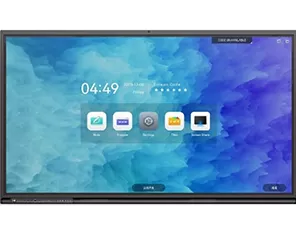
KMTEK's touchscreen page highlights responsive touch, multi-touch interaction and high-visibility display performance for applications such as advertising, retail, wayfinding and exhibitions. Its interactive LCD range, meanwhile, includes 55", 65", 75" and 86" models with 3840 × 2160 resolution and infrared touch.
The right choice therefore depends on what users need to see, touch and do.
Room size and viewing distance are often the simplest way to narrow the choice.
For a small meeting room or conventional classroom, an interactive LCD can be a straightforward solution because users typically stand close to the screen and need to read text, annotate documents and operate menus directly.
KMTEK's interactive LCD models are available in standard sizes from 55 to 86 inches and include whiteboard, annotation and screen-sharing functions.
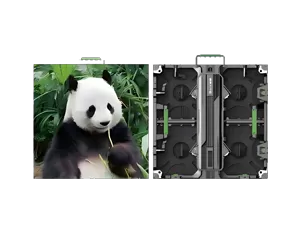
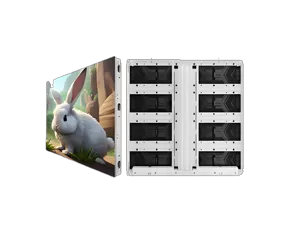
For a large meeting space, exhibition hall or public interactive wall, an LED touchscreen can offer more freedom in overall dimensions. LED systems are modular, making them better suited when the required display size extends beyond normal flat-panel dimensions.
Viewing distance also affects the LED configuration. For close interaction, pixel pitch becomes increasingly important because users may stand only a short distance from the display.
The first decision should therefore follow:
Room size → audience size → closest viewing distance → required screen size → display technology
Not simply “LED is more advanced than LCD.”
An interactive display should also be evaluated as an input device.
Before purchasing an LED touch screen panel or interactive LCD, buyers should ask:
How many simultaneous touch points are supported?
What is the touch accuracy?
What is the response time?
Which touch technology is used?
Can users write with a finger and stylus?
Are multi-user gestures supported?
Is Windows, Android or another system required?
How is the touch signal connected to the control system?
KMTEK's touchscreen LED category emphasizes responsive touch technology, multi-touch capabilities and real-time interaction.
Its current interactive LCD model provides a more specific reference: it uses infrared touch, supports up to 20 touch points, lists ±2 mm touch accuracy and a 10 ms touch response time, and recognizes both fingers and touch pens. It can also be configured with Windows/Android dual-system capability through an OPS interface.
For applications dominated by frequent handwriting and collaboration, these interaction specifications can matter as much as picture quality.
Touch functionality should not be evaluated separately from image quality.
A user browsing a product catalogue from one meter away has very different visual requirements from an audience interacting with a large exhibition wall.
For text-heavy interfaces, product specifications, maps or detailed menus, close-range clarity becomes important. Interactive LCD panels provide a fixed high-resolution surface; KMTEK's current 55–86 inch interactive LCD line uses 3840 × 2160 resolution.
With an LED touchscreen, resolution depends on the total screen dimensions and selected pixel pitch. A smaller pitch increases pixel density and is generally more relevant where viewers interact from shorter distances.
Ambient lighting must also be considered. KMTEK positions its touchscreen LED displays for bright commercial and public environments and highlights high-brightness visibility among their characteristics.
The practical selection sequence is:
Content detail + viewing distance + screen size + ambient light → resolution/pixel pitch and brightness requirement
This prevents buyers from overspending on unnecessary resolution or choosing a display that looks impressive from far away but lacks clarity during close interaction.
Different applications prioritize different aspects of interaction.
For meeting rooms, users typically need screen sharing, annotation, conferencing and direct document interaction. KMTEK's interactive LCD systems include whiteboard writing, annotation, wireless screen sharing and meeting-oriented functions, making LCD a natural option for many conventional collaboration spaces.
For classrooms and training rooms, similar priorities apply: easy writing, multi-user interaction and straightforward operation usually matter more than creating an exceptionally large display.
For retail, the priority shifts toward visual impact and customer engagement. An LED touchscreen can support interactive product browsing, promotions and public-facing digital experiences, particularly when a larger display is required. KMTEK specifically lists retail/POS, interactive advertising and information kiosks among touchscreen applications.
For exhibitions, museums and experiential spaces, scale can become a major advantage. KMTEK positions interactive LED displays and walls for immersive event, retail and entertainment experiences, while interactive LCDs can still work well as individual information stations or kiosks.
Neither technology is universally better—the application decides.
Before requesting a quotation, define:
application: meeting, education, retail, exhibition, wayfinding or other;
required screen dimensions;
closest and typical viewing distance;
expected number of simultaneous users;
required touch points and touch accuracy;
content type and resolution;
ambient lighting conditions;
Windows, Android or other operating-system requirements;
wall-mounted, floor-standing or embedded installation;
required writing, annotation or conferencing functions;
daily operating hours;
available installation space and drawings.
For an LED touchscreen project, also provide the intended viewing distance so the supplier can evaluate screen size and pixel-pitch requirements.
For an interactive LCD, confirm whether features such as whiteboarding, wireless screen sharing, camera integration or Windows/Android operation are required. KMTEK's broader interactive display category includes both LCD collaboration panels and larger interactive LED solutions.
The best interactive display should be selected around what users need to see, touch and accomplish.
Interactive LCD is often a strong fit for close-range meetings, classrooms and collaboration because screen resolution, touch and software functions are integrated into standard panel sizes. An LED touchscreen becomes more attractive when the project requires a larger display area, seamless visual scale and stronger impact in retail, exhibition or public environments.
Define the audience, viewing distance, screen dimensions, touch behavior, content and software requirements first. Then choose between LED and LCD.
An LED touchscreen combines an LED display with touch technology so users can interact directly with displayed content.
LED offers greater flexibility for large display sizes, while interactive LCD typically provides an integrated fixed-size panel for close-range collaboration.
Yes. KMTEK's touchscreen LED solutions support multi-touch interaction.
LED is generally more flexible for large-format interactive walls because the display area can be expanded through a modular screen structure.
Provide the application, screen size, viewing distance, user count, touch requirements, content resolution, operating system, installation method and operating environment.

I’m Engineer Liang, a LED display specialist with 20 years of hands-on experience. My work spans panel assembly, system integration, and performance optimization across various product lines.
I’ve provided on-site after-sales support in over 30 countries, It solves problems such as pixel failure and signal instability in large installation projects ranging from commercial billboards to stadium screens.These trips honed my ability to adapt solutions to local environmental conditions.
Remotely, I have remotely assisted hundreds of customers with display calibration, software debugging and diagnostic, and operational guidance, including fine-tuning color uniformity on LED screens and resolving connectivity issues with control systems etc.
I focus on practical problem-solving, ensuring timely, effective support to minimize display failure, protect the interests of customers.Keeping pace with LED tech advancements, I aim to deliver reliable expertise to clients worldwide.