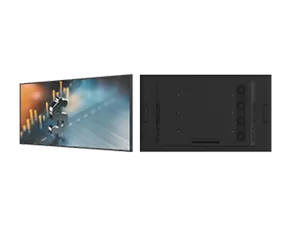
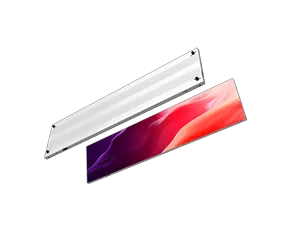
A small-pitch LED display can deliver detailed images at close viewing distances, but choosing the right model requires more than comparing pixel pitch. Viewing distance, screen dimensions, content type, brightness, installation conditions, and maintenance access all influence the final result. A display that performs well in one environment may not be the best choice for another.
For control rooms, corporate meeting spaces, studios, and premium showrooms, the goal is to balance image clarity with project cost and operational requirements. This guide explains how to specify a small pixel pitch LED display according to real-world viewing conditions and what buyers should confirm before requesting a quotation from KMTEK.
Pixel pitch is the distance between the centers of adjacent LED pixels, usually measured in millimeters. A smaller pixel pitch places pixels closer together, allowing a display to present finer details when viewed at a suitable distance.
A small pixel pitch LED display is often considered for applications where viewers sit or stand relatively close to the screen. Typical examples include meeting rooms, command centers, broadcast environments, and high-end commercial spaces. However, smaller pitch does not automatically mean better value. The appropriate specification depends on the viewing distance, image content, screen size, and project budget.
Buyers should also distinguish pixel pitch from resolution. Resolution depends on both pixel pitch and the physical dimensions of the display. A larger screen with a particular pitch can contain more pixels than a smaller screen using the same technology.
Before choosing a model, identify the closest expected viewing position and the type of content that will be shown. Small text, detailed dashboards, and complex graphics may require different considerations from presentations or video content.
KMTEK's small-pitch LED display provide a starting point for comparing configurations against these requirements.
Viewing distance helps determine whether individual pixels are noticeable and whether additional pixel density will provide a meaningful improvement. In a control room, operators may study detailed information for extended periods. In a reception area, most visitors may view the display from farther away while moving through the space.
Content matters just as much. Fine text, data visualizations, and intricate graphics can benefit from a denser pixel structure. Large promotional visuals may not require the same specification, particularly when viewers are positioned farther from the screen.
Measure the distance between the display surface and the nearest regular viewing position. Then consider the normal audience distance, the screen's intended dimensions, and whether users will need to read small details.
Do not select a pixel pitch based on a single viewing-distance rule without considering the entire installation. Screen size, content resolution, image processing, and the quality of the source material also affect perceived clarity. A high-density display cannot recover detail that is missing from the original content.
Pixel pitch is an important starting point, but a complete specification should include several other factors.
Brightness and adjustment range: The display should suit the ambient lighting without appearing excessively bright or difficult to view.
Refresh rate and grayscale performance: These specifications influence motion presentation, tonal transitions, and performance in camera-based environments.
Color consistency: Ask how the supplier manages color calibration across modules and the complete display.
Cabinet dimensions and resolution: Confirm the final screen dimensions, pixel count, aspect ratio, and compatibility with the intended content.
Installation and maintenance: Check mounting requirements, service access, power distribution, and the planned maintenance method.
The importance of each specification depends on the application. A broadcast studio may prioritize camera performance, while a corporate meeting room may focus on readable presentations and straightforward operation. Buyers should request the manufacturer's technical datasheet rather than relying on a general product description.
It is also worth confirming the display's control system and signal compatibility. A technically suitable LED screen still needs to integrate with the content sources, processors, and operating workflow used at the site.
Different projects place different demands on a display. The table below provides a starting framework; final specifications should be confirmed against the actual site and product documentation.
Application | Main viewing requirement | Key specification considerations |
|---|---|---|
Control room | Continuous close viewing of detailed information | Pixel pitch, readability, color consistency, maintenance access |
Corporate meeting room | Clear presentations and collaborative viewing | Screen dimensions, source compatibility, brightness adjustment |
Broadcast studio | Detailed imagery and camera capture | Refresh performance, grayscale, calibration, camera testing |
Premium showroom | High-quality visuals for visitors at varying distances | Image quality, brightness, content resolution, installation design |
A narrow pixel pitch LED display may be appropriate when the audience needs to view detailed information at close range. Nevertheless, a narrower pitch can increase project cost and may not produce a noticeable benefit if the audience sits farther away.
Buyers should compare complete solutions rather than one specification in isolation. Ask suppliers to explain the trade-offs among pitch, screen size, resolution, maintenance, and overall project budget.
A well-prepared inquiry helps suppliers recommend a configuration that matches the project. Start with the installation location, approximate screen dimensions, viewing distances, content types, ambient lighting, and daily operating schedule.
If possible, provide a floor plan or mounting drawing. Include the available installation space, wall structure, maintenance access, and any restrictions on cabinet depth or weight. For a control room or meeting space, describe the content sources and whether the display must work with existing processors or conferencing systems.
Ask the supplier to provide a proposed pixel pitch, resolution, brightness range, refresh rate, power requirements, maintenance approach, and warranty terms. Request clarification on any assumptions behind the recommendation.
KMTEK can use these details to evaluate the project requirements and identify suitable options. Providing clear information at the beginning makes the quotation process more efficient and reduces the risk of selecting a display that does not match the intended viewing conditions.
Not necessarily. Image quality also depends on content resolution, processing, calibration, viewing distance, and the display's overall performance.
It can be, especially when participants need to view detailed presentations at close range. Screen dimensions and viewing distances should guide the final specification.
Yes. Small-pitch LED displays can be configured for video walls, provided the dimensions, resolution, signal processing, and installation requirements are properly planned.
Share the application, screen dimensions, viewing distances, content type, installation environment, and any existing control-system requirements.
It is essential for long-term operation. Confirm how technicians can reach components and whether the proposed installation supports the required maintenance method.
Choose the pitch that meets the viewing and content requirements. A smaller pitch may increase cost without delivering a meaningful improvement in some environments.

I’m Engineer Liang, a LED display specialist with 20 years of hands-on experience. My work spans panel assembly, system integration, and performance optimization across various product lines.
I’ve provided on-site after-sales support in over 30 countries, It solves problems such as pixel failure and signal instability in large installation projects ranging from commercial billboards to stadium screens.These trips honed my ability to adapt solutions to local environmental conditions.
Remotely, I have remotely assisted hundreds of customers with display calibration, software debugging and diagnostic, and operational guidance, including fine-tuning color uniformity on LED screens and resolving connectivity issues with control systems etc.
I focus on practical problem-solving, ensuring timely, effective support to minimize display failure, protect the interests of customers.Keeping pace with LED tech advancements, I aim to deliver reliable expertise to clients worldwide.