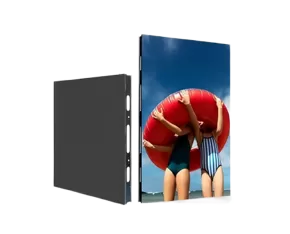
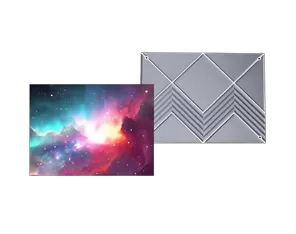
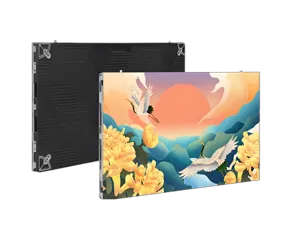
A conference LED screen is designed for more than simply showing images on a large wall. In business meeting rooms, it may display presentations, documents, charts, video conferences, product demonstrations, and other visual content. The right selection therefore depends on room layout, viewing distance, content type, screen size, and integration with the meeting-room AV system.
A conference LED screen is a large-format display designed for meeting rooms, presentation spaces, training facilities, and other professional communication environments. It provides a continuous viewing area that can be seen by participants across different seating positions.
Typical applications include corporate meeting rooms, executive boardrooms, training rooms, conference venues, and customer presentation areas. Depending on the project, the display may support internal meetings, remote collaboration, product demonstrations, or company presentations.
The room itself should guide the configuration. A smaller executive meeting room may prioritize close-viewing image detail, while a larger conference space may require greater screen coverage and viewing distance.
A conference room LED screen should provide clear visibility for presentations, video meetings, documents, dashboards, charts, and other business content.
Business users often need to read detailed information rather than simply watch video. Text, spreadsheets, diagrams, and presentation slides therefore require sufficient image clarity from different seating positions.
The content requirements should be identified before selecting the display:
Presentations: Text, charts, spreadsheets, and diagrams require clear image detail.
Video conferencing: Camera-based meetings require suitable refresh performance and consistent image quality.
Multimedia: Product videos and presentations may require appropriate brightness, contrast, and color performance.
Multiple sources: Computers, cameras, processors, and other AV equipment may need to connect to the display.
This content assessment helps buyers avoid selecting a display based only on screen size.
Viewing distance is one of the most important factors when selecting a conference LED screen because it affects how clearly viewers can distinguish individual pixels and image details.
For closer viewing, a finer pixel pitch can provide a smoother image and better detail. In larger rooms with greater viewing distances, the relationship between screen size and pixel pitch may allow a different configuration.
Buyers should therefore consider the nearest viewing position, typical seating arrangement, and content type rather than automatically choosing the smallest pixel pitch available.
Screen dimensions are equally important. A screen that is too small may make detailed content difficult to read from the back of the room, while an unnecessarily large display can consume excessive wall space and affect viewing comfort.
A conference LED screen should be evaluated according to both display performance and meeting-room conditions.
| Specification | What Buyers Should Check | Why It Matters |
|---|---|---|
| Screen size | Room dimensions and seating | Determines viewing coverage |
| Pixel pitch | Viewing distance | Affects image detail |
| Brightness | Room lighting | Supports comfortable viewing |
| Refresh rate | Video and camera use | Supports dynamic content |
| Viewing angle | Seating arrangement | Improves visibility across the room |
| Maintenance | Front or rear access | Affects service convenience |
Brightness should match the room's lighting rather than simply being maximized. Refresh rate becomes particularly relevant when cameras or video content are involved. Viewing angle should also be considered when participants sit outside the central viewing axis.
A conference LED screen should be planned as part of the meeting-room AV environment rather than as an isolated display.
The system may need to work with presentation computers, video-conferencing equipment, cameras, signal processors, and content-switching equipment. Cable routing and equipment placement should therefore be considered before installation.
The physical arrangement is also important. Camera position, seating layout, speaker location, wall structure, and screen position can all affect the final configuration. For remote meetings, the relationship between the screen and camera deserves particular attention.
Maintenance access should be planned at the same time. Where rear access is limited, front maintenance can simplify future servicing and reduce disruption to the meeting room.
A conference LED screen RFQ should clearly describe the room, display requirements, content sources, installation conditions, and project requirements before suppliers prepare quotations.
Room information: Include room dimensions, seating arrangement, viewing distance, and approximate audience size.
Display requirements: Specify screen dimensions, pixel pitch, brightness, refresh rate, viewing angle, and intended content.
Signal requirements: List computers, cameras, video-conferencing systems, processors, and other signal sources.
Installation conditions: Confirm mounting method, wall structure, cable routing, available space, and maintenance access.
Project requirements: Include quantity, delivery schedule, warranty, spare parts, technical documentation, and after-sales support.
For projects covering multiple meeting rooms, buyers can also define a standardized display configuration. This can simplify operation, maintenance, staff training, and future replacement.
A conference LED screen should be selected according to the complete meeting-room environment, not simply by screen size. Room dimensions, viewing distance, content type, pixel pitch, brightness, AV integration, installation, and maintenance all influence the final configuration. A detailed RFQ gives suppliers the information needed to develop a suitable solution and allows business buyers to compare proposals on a consistent basis.
It is used for presentations, video conferences, business data, training, product demonstrations, and other large-format visual communication.
The appropriate size depends on room dimensions, seating layout, viewing distance, and content requirements.
Viewing distance affects the suitable pixel pitch and screen size. Closer viewing generally requires greater attention to image detail.
No. Pixel pitch should be selected according to viewing distance, screen size, content type, and room layout.
Key factors include screen size, pixel pitch, brightness, refresh rate, viewing angle, installation method, maintenance access, warranty, and technical support.
An RFQ should include room dimensions, viewing distance, screen requirements, content sources, installation conditions, quantity, warranty, and delivery requirements.

I’m Engineer Liang, a LED display specialist with 20 years of hands-on experience. My work spans panel assembly, system integration, and performance optimization across various product lines.
I’ve provided on-site after-sales support in over 30 countries, It solves problems such as pixel failure and signal instability in large installation projects ranging from commercial billboards to stadium screens.These trips honed my ability to adapt solutions to local environmental conditions.
Remotely, I have remotely assisted hundreds of customers with display calibration, software debugging and diagnostic, and operational guidance, including fine-tuning color uniformity on LED screens and resolving connectivity issues with control systems etc.
I focus on practical problem-solving, ensuring timely, effective support to minimize display failure, protect the interests of customers.Keeping pace with LED tech advancements, I aim to deliver reliable expertise to clients worldwide.