1) Make sure to install the display on the basis of reading and understanding the user manual;
2) Under no circumstances can the company's products be repaired by unauthorized personnel of the factory;
3) The installation site must be firm, such as no sinking, tilting or falling, and the environment can not be overweight, radioactive, polluted, corrosive or toxic gas;
4) All components can only be provided by the original factory or by the original factory certified suppliers;
5) Without the consent of the original factory, the components cannot be repaired or replaced at will;
Please follow the instructions of the product instructions, and if you have any questions, please contact us.

| Module parameters | Pixel pitch (mm). | 0.78 | 0.93 | 1.25 | 1.56 | 1.87 |
| Module size (W×H mm). | 150*168.75 | 300*168.75 | ||||
| Module resolution (W×H). | 192*216 | 160*180 | 240*135 | 192*108 | 160*90 | |
| Number of scans | 1/54 | 1/54 | 1/120 | 1/108 | 1/90 | |
| Circuit scheme | Common cathode circuit | Sym-positive circuit | ||||
| Surface | Flip chip COB | |||||
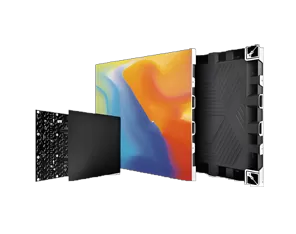
| Cabinet parameters | Cabinet module composition | 4*2 | 2*2 | |||
| Cabinet resolution(W×H). | 768*432 | 640*360 | 480*270 | 384*216 | 320*180 | |
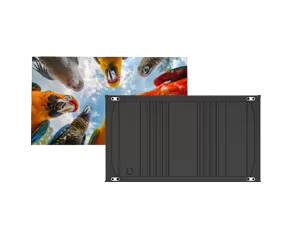
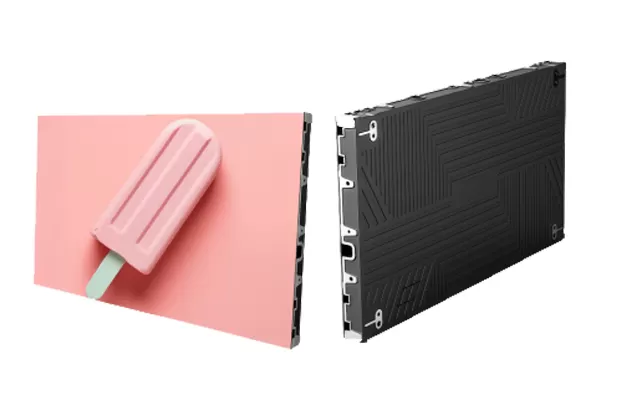
| Cabinet size (W×H×D mm). | 600*337.5*35.5 | |||||
| Pixel density(dots/m²). | 1638400 | 1137777 | 640000 | 409600 | 284444 | |
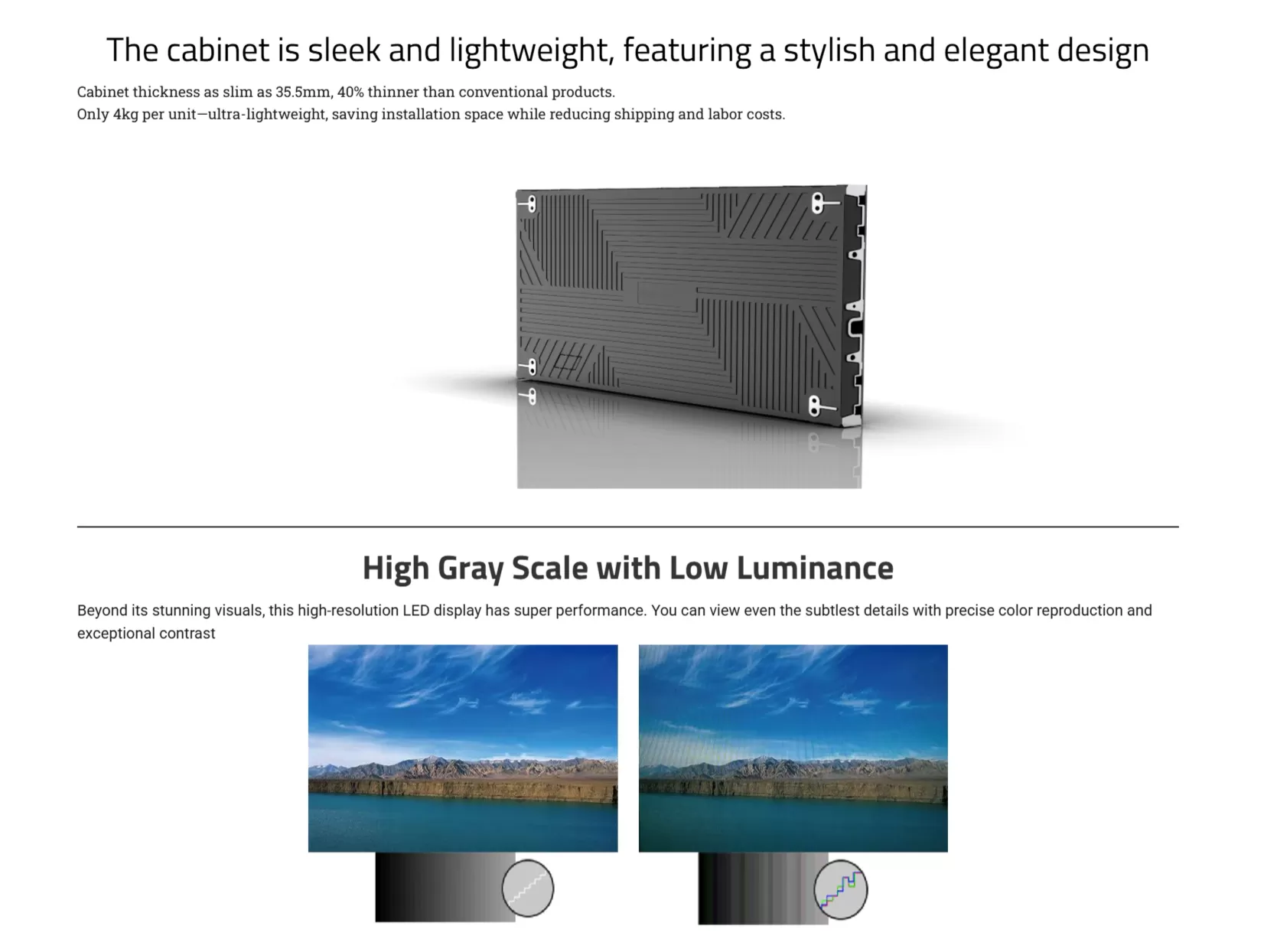
| Box weight(with module) (Kg). | About 4 | |||||
| Lamp board box connection mode | HUB hardwired | |||||
| Installation/maintenance method | Front and rear installation / front maintenance | |||||
| Product Protection Rating | IP54 | |||||
| Image parameters | Brightness (cd/m²). | 600 | ||||
| Chromaticity uniformity (corrected) | ±0.001 | |||||
| Refresh rate | 3840 | |||||
| Adjustable range of color temperature | 3000K-15000K | |||||
| viewing angle(H/V). | 175° | |||||
| contrast | 20000:1 | |||||
| Electrical parameters | Operating voltage(AC V). | 100-240V | ||||
| Max power consumption (W/m²). | About 375 | About 350 | About 325 | |||
| Avg power consumption(W/m²). | About 110 | About 100 | About 90 | |||
| Control system | Drive mode | Constant current drive | ||||
| Receiving card | Nova A8S Pro | Nova 3-in-1 | Nova A5S Plus | |||
| Gray scale (bit). | 14 | |||||
| Use parameters | Operating temperature/ humidity range(℃/RH). | -10℃~+60℃/10%RH~90%RH | ||||
| Storage temperature/ humidity range(℃/RH). | -20℃~+60℃/10%RH~90%RH | |||||
| Service life(h). | 200000 | |||||
3.1 Light board packaging
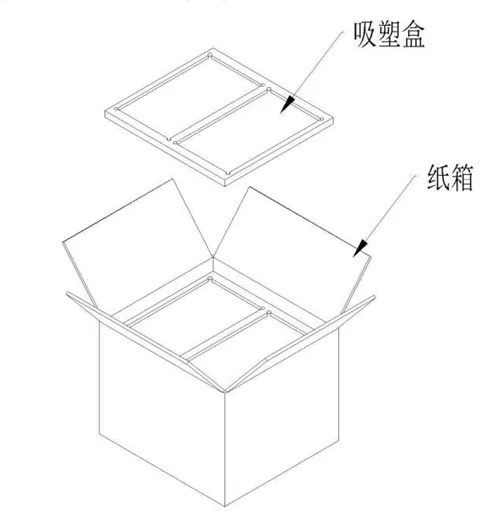
Description: 1 pack of 32PCS 300*168.75 light board carton dimensions: 400*355*315mm weight: 13kg |
3.2 Die-cast box packaging
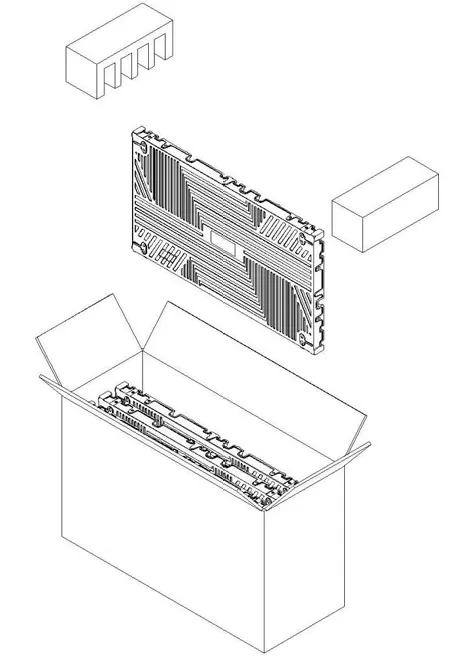
Description: 1 pack 4PCS 600*337.5 box carton dimensions: 665*265*405mm weight: 18kg |
4. Product installation guidance
4.1 Light panel maintenance Tools
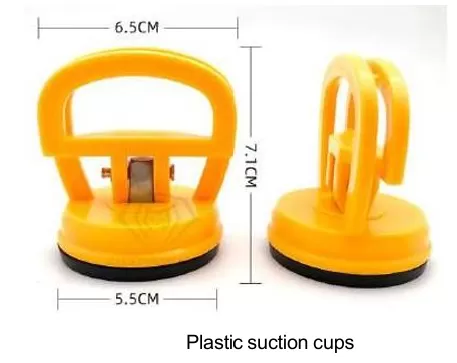
4.2 The input signal and power line are loaded
0.78 | P0.93 | P1.25 | P1.56 | P1.87 | P2.5 | |
Operating voltage AC110V | 12 units | |||||
Operating voltage AC220V | 25 units | |||||
Description: Description of the maximum number of loaded boxes on a single main line (3*2.5mm² national standard line);
0.78 | P0.93 | P1.25 | P1.56 | P1.87 | P2.5 | |
600*337.5 cabinet | 1 unit | 2 units | 5 units | 7 units | 11 units | 18 units |
Note: Description of the maximum number of loaded boxes for a single main network cable (super five unshielded network cables);
4.3 Schematic diagram of the front installation
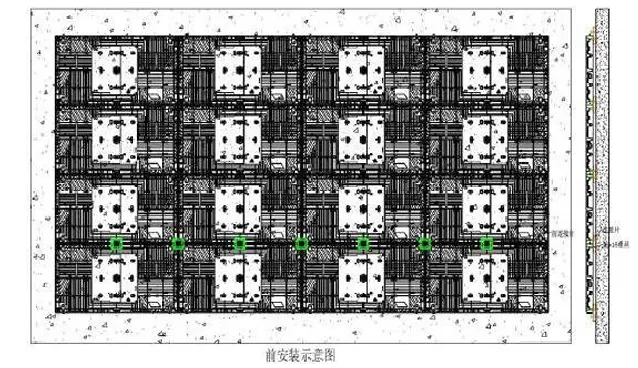
A. The die-cast connecting lug is fixed to the back plate, and the cabinet is screwed to the connecting lug
B. First, fix the up, down, left and right screws of the box, and then install the front connecting piece
C. Connect the power cable and network cable, the main power cable and the main network cable can be entered from the bottom/top or back of the cabinet
D. Install the module on the cabinet with a suction cup
4.4 Schematic diagram of post-installation
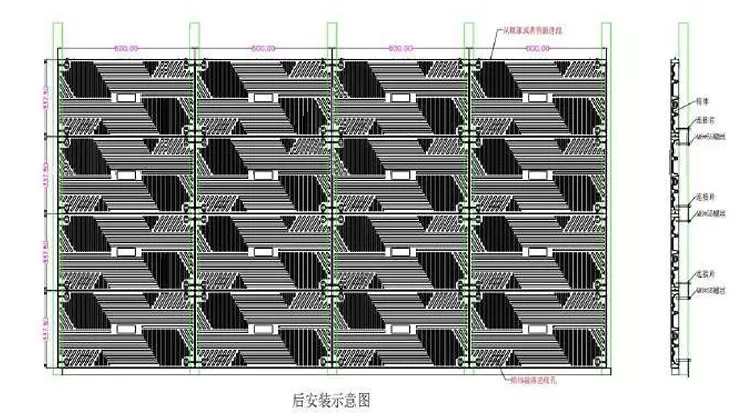
A. The box is fixed on the steel frame through the back connecting piece and screws
B. First, fix the up, down, left and right screws of the box, and then install the front connecting piece
C. Connect the power cable and network cable, the main power cable and the main network cable can enter from the top or back of the cabinet
D. Install the module on the cabinet with a suction cup
5. Product User Guide
5.1 Guiding Principles
1) Make sure to install the display on the basis of reading and understanding the user manual;
2) Under no circumstances can the company's products be repaired by unauthorized personnel of the factory;
3) The installation site must be firm, such as no sinking, tilting or falling, and the environment can not be overweight, radioactive, polluted, corrosive or toxic gas;
4) All components can only be provided by the original factory or by the original factory certified suppliers;
5) Without the consent of the original factory, the components cannot be repaired or replaced at will;
Please follow the instructions of the product instructions, and if you have any questions, please contact us.
5.2 Safety Instructions
5.2.1 Personnel
1) When working at height, protective measures need to be taken, and operators need to wear qualified safety helmets, safety belts and other necessary safety protection equipment;
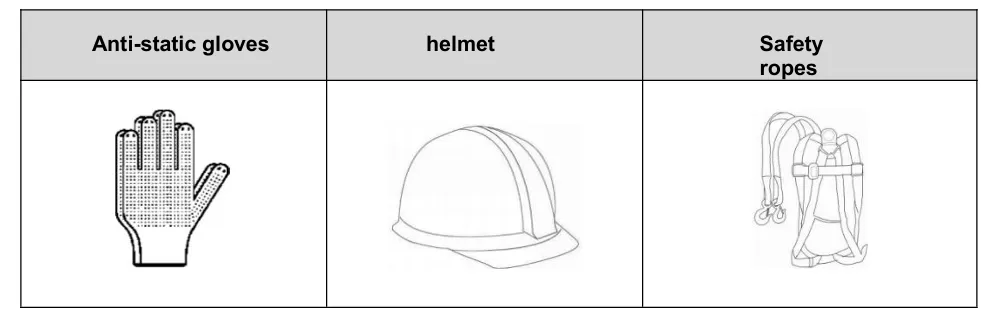
2) A single LED display box is about 4KG, pay close attention to personal safety during the operation process, the tools and materials used are strictly forbidden to throw, and when the upper and lower main body cross operations are really necessary, isolation facilities must be set up in the middle.
5.2.2 Products
1) All products must be well protected and packed firmly in the process of transportation or storage, and there can be no over-specification external pressure on the products;
2) The product should not be in contact with rainwater before or during installation, so as to ensure that it is operated in a dry and clean environment;
3) All parts should not be trampled, knocked or dropped, please follow the instructions when moving or handling the product;
4) Flammables: Keep flammable materials away from the equipment. When the equipment is running, a large amount of energy is converted into heat. Equipment operation requires a certain amount of air movement to avoid heat that jeopardizes safe operation. Therefore, it is essential to provide proper ventilation and, if
necessary, install air conditioning refrigeration at the rear of the unit.
5.2.3 Installation
1) When installing and disassembling the display module, you need to use a suction cup tool, and you need to disassemble and assemble the vertical screen. At the same time, it is necessary to pay attention to the edges around the lamp panel, and do not bump with the edges of other lamp panels.
A. When the box is fixed, it is necessary to make sure that the bracket is perpendicular to the installation plane, otherwise the box will not be installed in place;
B. When the shaft screw is locked, do not tighten it too tightly, otherwise it will cause the box to bend and destroy the structure and flatness of the box;
C. When the flatness between the box and the box is not enough, the locking screws between the boxes can be adjusted to adjust the flatness of the box;
D. The lamp board cannot be forcibly assembled during installation, which will cause the edge of the lamp board to die;
E. When installing the light board, it is necessary to confirm that the internal magnetic screws are tightened to ensure that the height of the fixed point of the light board is consistent.
2) When installing and disassembling the display module, wear anti-static gloves.
3) After the installation is completed, you can wipe the surface of the screen with a dust-free cloth and water, and you can not wipe it with other solvents.
5.2.4 Power Supply
1) Provide power supply and distribution cabinet according to power consumption, and all power distribution systems must be protected by shells and comply with local circuit safety standards;
2) The power distribution system is installed close to the display screen, and the power line and data cable cannot be pulled or damaged;
3) Confirm whether the local input voltage to the screen matches the power supply of the screen, please make sure that the setting is correct before connecting the power cord;
4) Do not try to install the damaged cable, please replace it with a new one;
5) When the display screen is energized, the instantaneous current is relatively large, choose the appropriate air switch.
5.2.5 Grounding
The display must be grounded with a separate ground wire.
5.2.6 Attention to the use process
1) The display screen should not be subjected to excessive pressure or collision from the outside world, otherwise it will be damaged;
2) When cleaning the surface of the display screen, please follow the guidelines, and only use soft dust-free cloth during the cleaning process;
3) The power supply must be cut off before disassembling the display;
4) The design of all mounting accessories should only be applied to the installation and connection of this LED display;
5) It is forbidden to modify or copy any component. This display uses special materials and production procedures to achieve part strength;
6) Insist on following the installation instructions, and if you have any questions about the safe application, you can consult the factory. The manufacturer shall not be liable for any consequences arising from incorrect, incomplete, irresponsible or unsafe use of the installation system
Tips: When handling, installing and operating the LED module, please be careful to avoid damage caused by bumps.